
Push traffic reaches users through browser notifications they have chosen to receive. It's a direct way to promote products and services with short advertising messages. Users can unsubscribe at any time, so push campaigns are shown only to those who are ready to interact with an offer. This ad format is useful for advertisers looking to deliver concise, action-oriented notifications to potential and existing customers.
When Push Advertising Works Best
Push advertising is built around fast communication. It implies short, straightforward messages that people can understand immediately. Unlike formats that require longer preparation or more detailed creatives, push notifications work best when the offer is clear from the first impression.
The combination of speed and broad reach makes push traffic suitable for a wide range of verticals, like iGaming, betting, dating, sweepstakes, mobile apps, finance, and eCommerce. Browser notifications are delivered almost instantly, allowing advertisers to react quickly to:
— product launches,
— limited-time promotions,
— seasonal offers,
— app installs,
— registrations,
— reminders,
— retargeting campaigns.
At the same time, push campaigns don’t have to be one-time promotions. On the AdOperator platform, around 42% of advertisers use push notifications as an ongoing marketing channel, regularly testing new creatives and audience segments as their campaigns evolve.
New to push advertising? Learn more about how web push notifications work →
How to Launch a Push Campaign
1. Create Your Advertiser Account
Registration takes only a few minutes. Once your account is funded, you can create your first push campaign and start configuring its settings.
2. Prepare Your Push Creative
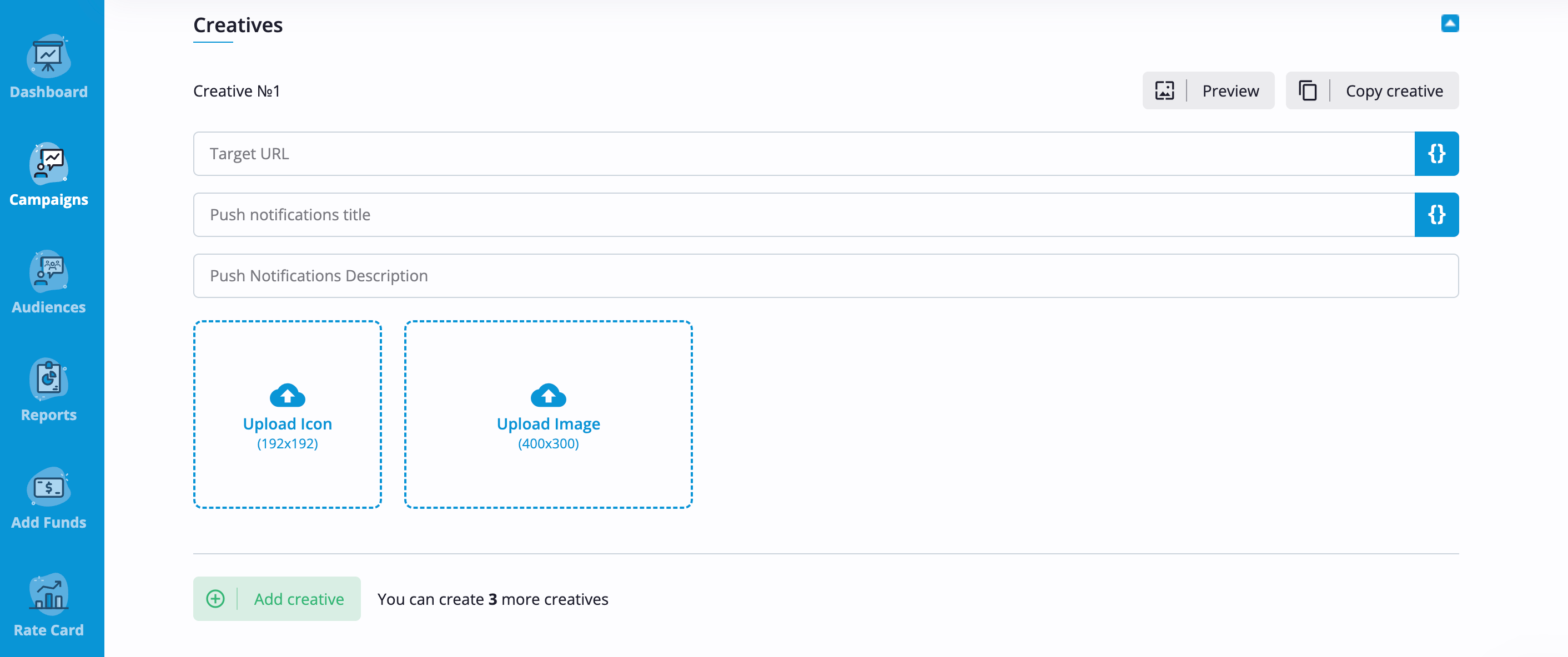
Add your target URL and prepare the push creative, which includes a title, description, icon, and main image. The text delivers the core message, while the visuals attract attention and make the notification more recognizable.
3. Set Up Your Campaign
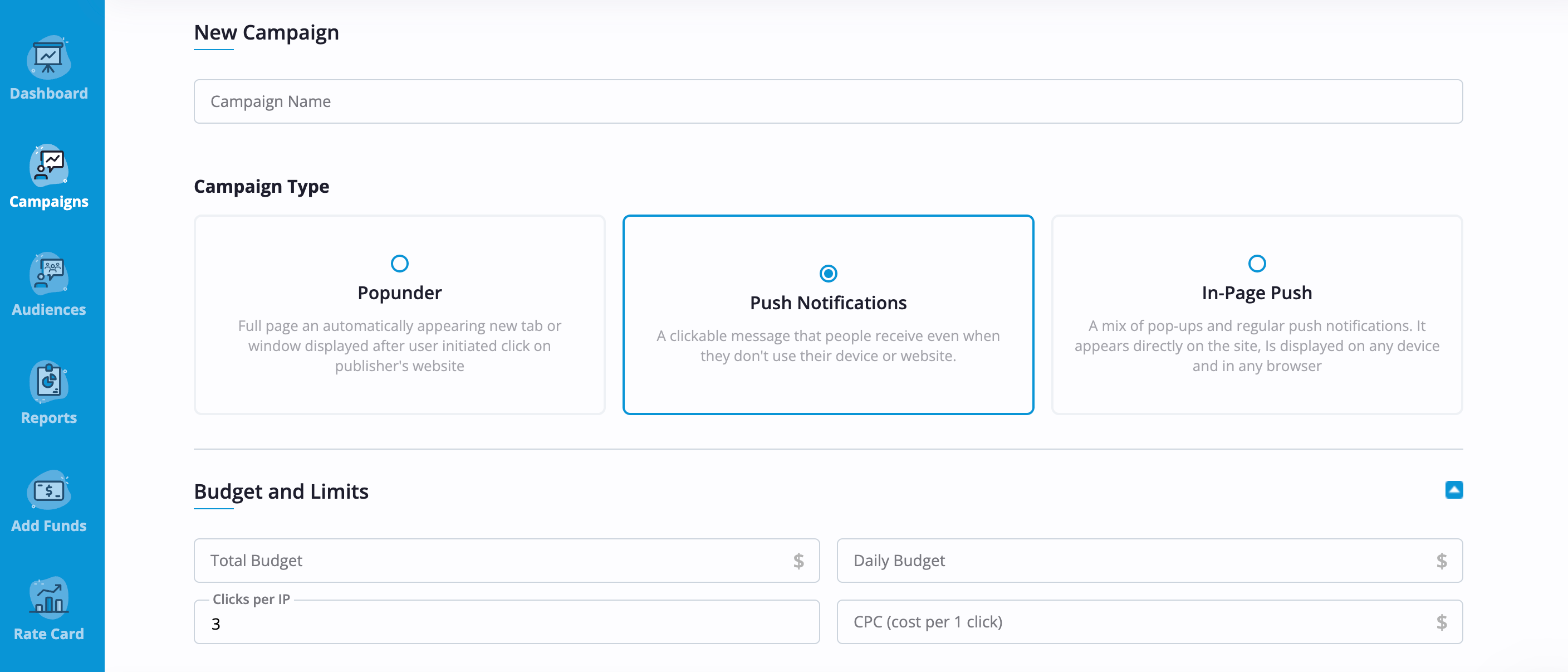
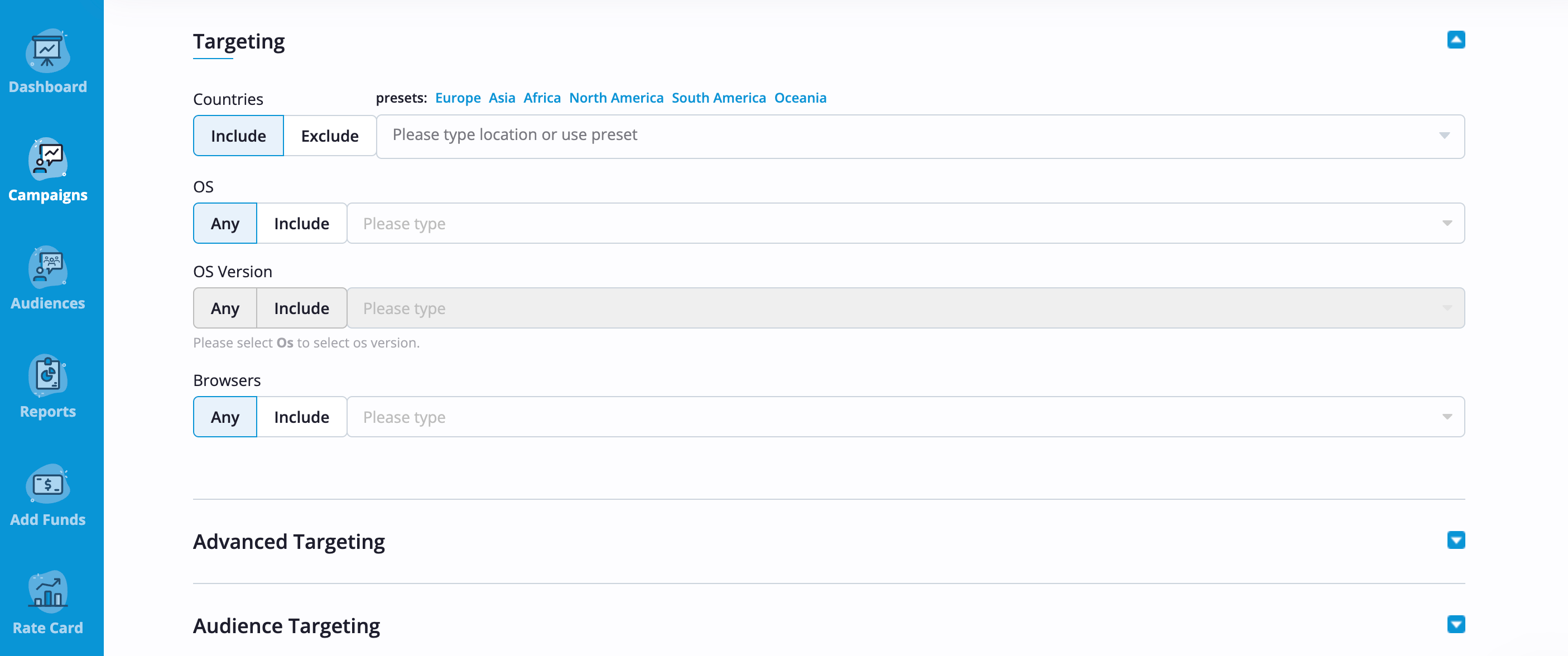
Set your campaign budget, bid, and spending limits first. Next, configure the targeting settings, including GEO, devices, operating systems, browsers, and other parameters. Once everything is ready, submit it for review.
4. Monitor Your Results
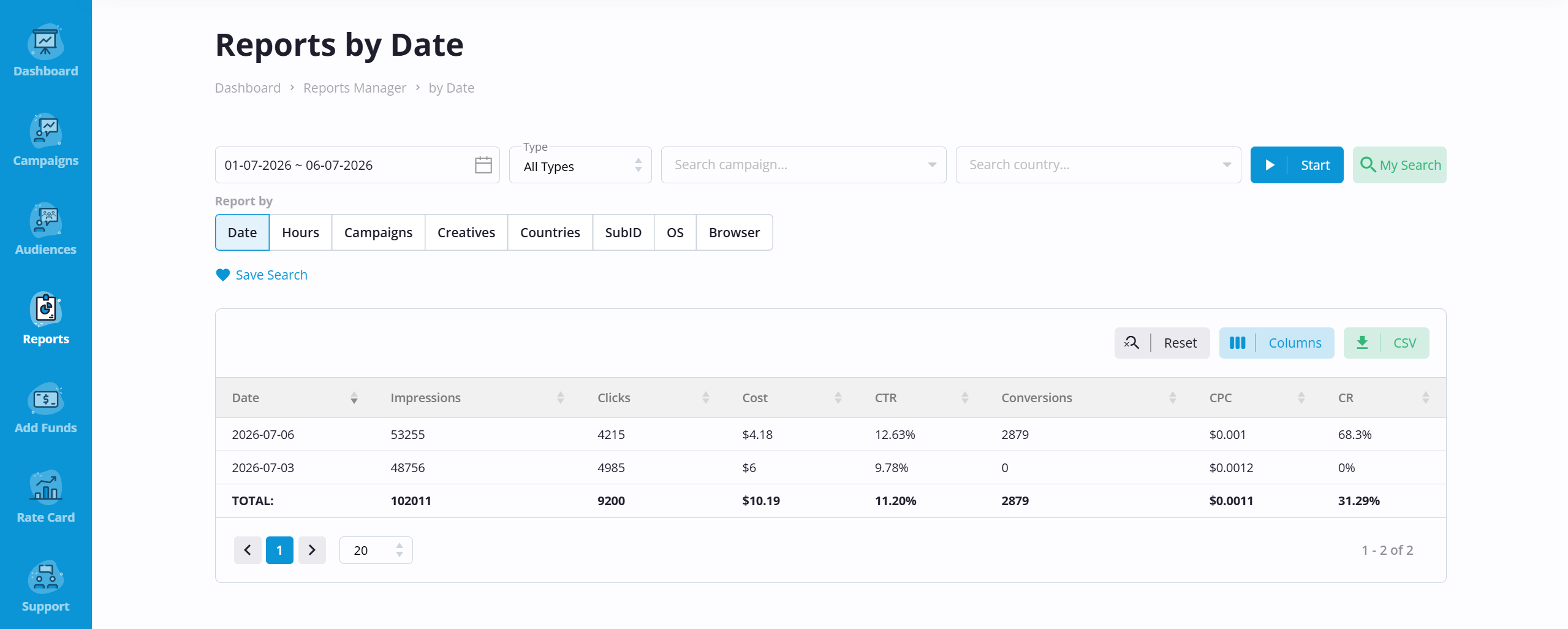
After moderation, your campaign starts receiving traffic. Monitor performance on the Dashboard on the AdOperator platform. Adjust bids, targeting options, or creatives as new reports become available. Successful setup combinations can be scaled while underperforming variations are paused or restructured.
How to Create Effective Push Notifications
Compared to display or popunder ads, push notifications compete for only a few seconds of the user’s attention. The message needs to be relevant and easy to understand at first glance. Instead of explaining an offer in detail, the goal is to spark enough interest for the user to click and follow to the landing page.
Keep the Message Clear
Push notifications have limited space. On the AdOperator platform, they have 30 characters for the title and 45 for the description. Focus on a single idea instead of trying to explain the entire offer. A concise message is easier to scan and leaves room for a clear call to action.
Highlight the Main Value
Choose the most compelling reason to click – a discount, bonus, new feature, or limited-time opportunity. If several ideas compete for attention, the notification becomes less effective. Users should understand what is hidden behind a button without any confusion.
Test Different Variations
Even small changes to the title, icon, or call to action can noticeably affect CTR. Running several creative variations helps identify what resonates best with your audience before increasing traffic volume.
Learn More About Push Advertising

FAQ
How do users receive push notifications?
Users receive push notifications through supported web browsers after they have agreed to receive them from a website. Once subscribed, they may be reached by advertising campaigns that match the targeting settings selected by the advertiser.
Are there any restrictions on push advertising campaigns?
Yes. Push campaigns must comply with AdOperator’s advertising guidelines and applicable regulations. Promoting prohibited or restricted content will not be approved during moderation.
What do I need to launch a push campaign with AdOperator?
You’ll need an advertiser account, a funded balance, a landing page, and a push creative. After configuring your targeting and budget, simply submit the campaign for moderation. Once approved, it will begin receiving traffic.
Do push campaigns work on mobile devices?
Yes. Push campaigns can reach users on both desktop and mobile devices. On the AdOperator platform, you can target specific device types and operating systems separately, allowing you to tailor creatives for different audiences.
Can I use push traffic for retargeting campaigns?
Yes. AdOperator allows advertisers to combine push traffic with audience retargeting to reconnect with customers who have already visited a website or interacted with an offer. Showing a relevant message to an existing audience can help generate additional conversions and get more revenue from previously acquired traffic.